Agentic Automation Platform & Features


TL;DR
- This article covers the shift from basic rpa to advanced agentic automation platform & features that let ai agents plan and execute work. You will learn about core architecture like reasoning engines and shared context while exploring top platforms from uipath to salesforce. It provides a roadmap for integrating these tools into your existing tech stack to drive real business roi.
The shift from robots to agents
Remember when we thought rpa was the peak of tech? Just a bunch of bots doing exactly what we told them—until a button moved two pixels and everything broke. (March update broke the "square" button on my Pixel 5 : r/GooglePixel)
Traditional automation is just too rigid for the messy reality of business today. If a customer sends an email with a typo or a weird request, a standard bot just chokes because it can't "think."
- Bots follow scripts; agents follow goals. While a bot needs every step mapped out, an ai agent uses reasoning to figure out the "how" on its own.
- Handling the "gray areas." In industries like healthcare or finance, things aren't always black and white. Agents can actually handle uncertainty without a human needing to click "resume" every five minutes.
- Decision making vs. task execution. According to UiPath, 90% of US IT executives believe their processes would be better if ai could actually make decisions instead of just moving data.

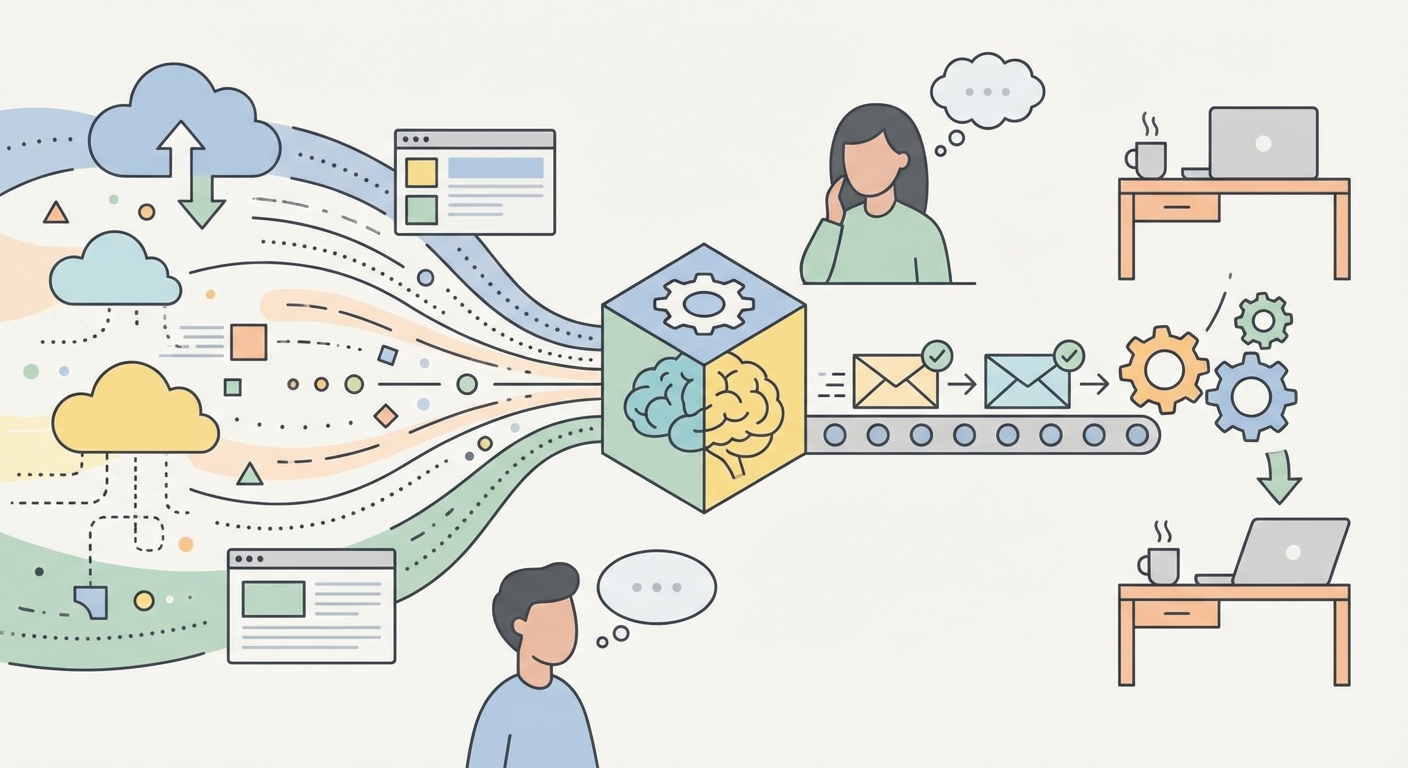
It's all about the "reasoning engine" now, like the Atlas engine used by salesforce. Think of the Atlas engine as the actual brain or logic layer that sits inside the platform; it's what does the thinking so the agent can figure out which api to call. These systems don't just run code; they use an api to grab data, check it against policies, and then act.
A 2026 report mentioned by Deep concept on Medium suggests we're moving toward tools that feel more like collaborators than just software.
I've seen teams at places like OpenTable use this to resolve 70% of inquiries without a human. It's wild how fast the shift is happening. To make this work, you need a solid tech stack: the LLM layer (the smarts), Vector DBs (for long-term memory), and API connectors (the hands that actually do stuff).
Key features of a modern agentic platform
So, we have all these agents running around, but how do you keep them from tripping over each other? If you just let ten different ai agents loose in your company, you're gonna have a bad time—it's like having ten interns who don't talk to each other.
Modern platforms use something called orchestration to make sure agents actually work as a team. It's basically the "brain" that decides which agent does what. For example, in a retail setup, you might have one agent checking inventory while another handles a customer refund. If the refund agent tries to give back money for an item that’s out of stock, the orchestrator steps in to fix the conflict. (Item "Ran Out of Stock" after I purchased. Company refunded me ...)
- Goal-based coordination. Instead of just running a script, the platform looks at the final goal (like "fix this shipping error") and assigns the right agents to the job.
- Conflict resolution. This is where you need a "human-in-the-loop" setup. If two agents disagree on a policy or hit a "gray area" they can't solve, the system flags a person to make the final call.
- Scalability. You can't just build one-off bots forever. A real platform lets you manage hundreds of agents across departments like hr and finance without the whole system crashing.

The Importance of Shared Memory
An agent is only as good as what it remembers. If a customer talks to a sales agent on monday and a support agent on tuesday, the support agent shouldn't act like they've never met. This is where a "unified data layer" comes in.
Platforms like Salesforce use what they call Agentforce 360 to give agents a "shared memory" of every interaction. While the Atlas engine provides the reasoning logic, Agentforce 360 is the broader platform that holds all that customer context. According to a recent report by The Futurum Group, having this shared context is an "architectural requirement" because it stops the experience from feeling fragmented or robotic.
A 2025 announcement from Salesforce showed that Reddit actually cut their resolution times by 84% just by using agents that had the right context to handle complex tasks.
Honestly, it's pretty cool seeing how these systems learn from past mistakes. Next, we'll dive into the platforms that are leading the charge right now in 2026.
Top platforms leading the market in 2026
So, who is actually winning the race to build these "thinking" platforms? Since it's 2026, the market has basically split between the massive clouds you already use and a few specialized players making custom ai agents way easier to build.
The big names are leaning hard into their existing ecosystems. It makes sense—if all your data is already there, why move it?
- Microsoft Copilot Studio. This one is big because of its "computer use" feature. As mentioned by Beam AI, it lets agents click through old apps that don't even have an api, which is a lifesaver for legacy industries.
- ServiceNow AI Agent Studio. They call it "Now Assist." It's perfect if you live in tickets. It doesn't just suggest a fix; it actually triggers the workflow to resolve the issue.
- Google Vertex ai Agent Builder. Great for teams already on gcp who need deep observability into how their agents are actually calling tools.

Honestly, the "best" platform usually depends on where your "system of record" lives. If you're a salesforce shop, you'll probably stick with agentforce. But for those wanting to bridge multiple apps—like connecting zendesk to a private sql database—tools like Beam AI are acting as the "glue" to keep everything from getting messy.
Next up, we're gonna look at how to actually implement these workflows and keep things secure.
Implementing agentic workflows in your business
So, you’ve picked a platform and your agents are ready to roll. But honestly, this is where the real work starts because if you don't build a "safety net" first, things can get messy fast.
Navigating UI with Computer Use
One of the coolest parts of implementation is "computer use." This is when an ai actually looks at a screen and clicks buttons just like a human would. It’s the secret sauce for fixing those annoying manual tasks in old software that doesn't have an api. Instead of waiting years for a dev team to build an integration, the agent just "sees" the legacy app and gets to work.
You can't just let an ai agent wander through your databases without some serious guardrails though. It's about making sure they only see what they need to see—like a "need to know" basis for software.
- Setting guardrails. You gotta define exactly what an agent can and can't do, especially in sensitive spots like finance or healthcare.
- Audit trails. Platforms like uipath help you track every single decision an agent makes so you aren't left scratching your head when something goes sideways.
- Data protection. Keep that sensitive info locked down.
How do you know if this stuff is actually working? You can't just go by "vibes."
- Deflection and speed. Track how many tickets are handled without a human and how much faster things get done.
- Employee value. Look at the time your team gets back for actual creative work.

At the end of the day, moving to an agentic setup isn't just a tech upgrade—it's a whole new way of working. Start small, stay secure, and let the agents do the heavy lifting. Good luck!