Smart by Design: Demystifying the Architecture of AI Agents

TL;DR
- This article breakdown the core components of ai agent architecture including perception, reasoning, and action loops. It covers how enterprise leaders can implement these systems to drive business automation and digital transformation while avoiding common engineering pitfalls. You'll learn about the technical stack needed for scaling custom ai solutions in a modern b2b environment.
What makes an agent actually smart?
Ever wonder why some bots feel like talking to a brick wall while others actually get stuff done? Honestly, it’s because most things we call "ai" are just fancy scripts, not real agents.
A basic chatbot is like a vending machine—you press a button, it gives you a soda. But an agent is more like a personal assistant who notices you’re thirsty, remembers you hate diet drinks, and goes to find a store. The big shift here is autonomy.
- Beyond the Script: Traditional bots follow "if-then" logic. If a customer in retail asks for a refund, the bot just links to a policy. An agent actually looks at the order history, checks the warehouse, and decides if it can hit the "refund" button itself.
- The LLM Brain: We use large language models (llms) as the core reasoning engine. It's not just about generating text; it's about the ai "thinking" through steps.
- Enterprise Context: In a bank, an agent doesn't just answer questions about rates. It monitors for fraud, flags weird patterns, and alerts the right human without being told to every single time. (Soo Co-Op, 2024)

According to Gartner (2024), by 2028, at least 15% of day-to-day work decisions will be made autonomously through agentic ai. That’s huge because it means we're moving from "tools we use" to "digital coworkers."
Anyway, once you realize that agents can actually act instead of just talk, the next question is how they actually stay on track without making a mess. We'll look at the Core Pillars next.
The Core Pillars of AI Agent Architecture
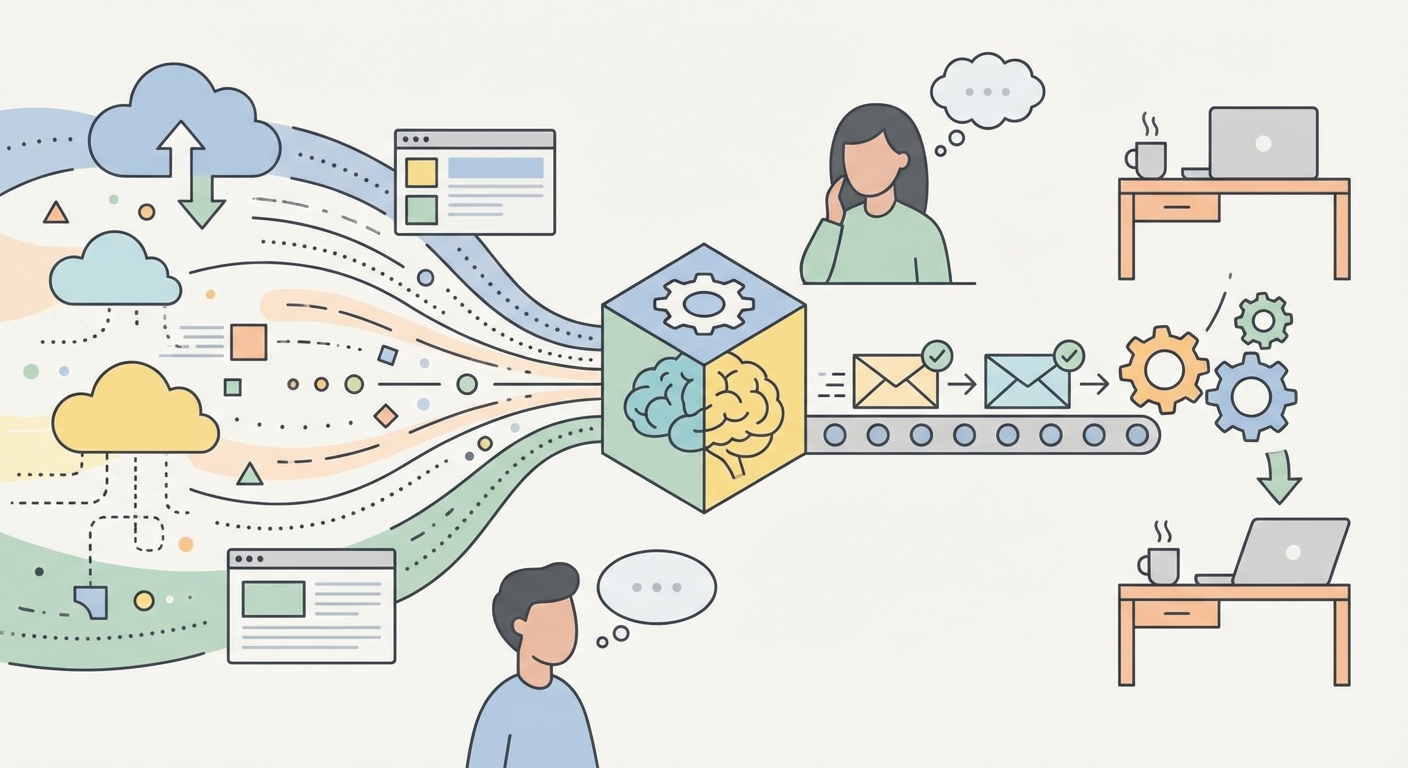
Ever wonder how an agent actually knows what's happening around it without you constantly poking it? It’s not magic, it’s just a really well-built "digital nervous system" that eats data for breakfast. To get this right, an agent relies on three main pillars: Perception (taking in info), Reasoning (thinking it through), and Action (actually doing the work).
Before an agent can do anything, it has to take in the world. But unlike us, its "world" is a mess of apis, spreadsheets, and maybe some grainy pdfs from 2012.
- The Data Buffet: Agents don't just wait for a text box. They pull from live databases, monitor slack channels, or even watch sensor data in a factory. In healthcare, this might look like an agent "watching" a patient's vitals and cross-referencing them with past lab results in real-time.
- Seeing in Multimodal: Modern ai doesn't just read text anymore. If you're in retail, an agent can "look" at a photo of a broken product a customer uploaded and decide if it's a manufacturing defect or just shipping damage.
- Handling the Mess: Most business data is unstructured (think emails or voice notes). (5Data Inc, 2023) High-end agents use techniques to turn that chaos into something structured they can actually use for decisions.

Once the agent "sees" the situation, it needs to figure out what to do. This is where the reasoning engine kicks in—basically, the agent's prefrontal cortex.
- Breaking it Down: If you tell an agent "Organize a board meeting," it doesn't just panic. It uses chain of thought to realize it needs to check calendars, book a room, and order catering. It breaks the big scary goal into tiny, doable tasks.
- Self-Correction: This is the cool part. If an agent tries to book a room and it's full, it doesn't just give up. It "thinks," realizes the error, and tries a different time or location. It's a loop of trying, failing, and pivoting.
- The Logic Gate: In finance, an agent might see a weird transaction. Instead of just flagging it, it reasons: "Is the user traveling? Did they just buy something similar?" It weighs the evidence before bugging a human.
According to IBM (2024), these agents are different because they use reasoning to complete goals with minimal human intervention, making them way more than just a chatbot.
Anyway, seeing and thinking is great, but it doesn't mean much if the agent can't remember who you are. Next, we gotta talk about how these agents keep track of things over time.
Memory Systems and Persistence
Ever feel like you’re repeating yourself to a coworker who just doesn't listen? That’s exactly what it feels like using a bot with no memory—it’s exhausting and honestly a bit of a productivity killer.
Memory is what turns a basic script into a teammate that actually knows your business. Without it, an ai agent is just a goldfish in a suit, forgetting what you said two minutes ago.
Think of short-term memory as the "context window." It is like the agent's immediate workspace. If you're talking to a retail assistant about a specific order number, that number stays "on the desk" while you chat. But once that window fills up, the old stuff starts falling off the back.
Long-term memory is where things get interesting. This is usually handled by something called a vector database. Instead of just storing text, it stores the "meaning" of data as numbers. When the agent needs to remember how you handled a similar logistics nightmare last year, it "retrieves" that info from its long-term storage.
- Context Windows: This is the "now." It's great for keeping a conversation flowing but it's expensive and has a limit on how much it can hold at once.
- Vector Retrieval: This is the library. Agents use this to pull in relevant docs or past decisions only when they need them.
- Continuous Learning: Some agents can actually update their own instructions based on what worked before. If a healthcare agent realizes a certain follow-up email gets ignored, it can "remember" to try a different tone next time.

In a law firm, an agent doesn't just read one contract. It remembers the specific clauses you hated in the last ten deals and flags them automatically in the new one. That's not just "processing"—it's persistence.
According to Pinecone (2024), vector databases are essential for ai because they allow models to access a massive "external memory" that doesn't fit in their immediate brain. This is how a finance agent remembers a specific compliance rule from a 500-page manual without you having to upload the pdf every single morning.
One thing to watch out for is data privacy. You don't want an agent "remembering" sensitive passwords or private employee info and blabbing it to the wrong person later. Setting up "forgetting" protocols is just as important as the memory itself.
Anyway, having a brain and a memory is cool, but an agent is useless if it can't actually touch anything. Next, we’re looking at how these things actually get their hands dirty with tools and apis.
Action and Tool Integration
Thinking and remembering are cool, but if an agent can't actually do anything, it's just a philosopher in a box. The real magic happens when the agent reaches out and touches your existing software through tools and apis.
Think of tools as the agent’s hands. When an agent needs to "book a flight" or "update a crm," it doesn't just type it out; it uses function calling. This is basically the agent saying, "Hey, I need to use this specific tool with these specific details to finish the job."
- The API Handshake: Most agents connect to your stack via rest apis. In retail, an agent might see a stock shortage and automatically ping a supplier's portal to reorder, without a human ever touching a keyboard.
- Security First: You don't just give an ai your master password. We use Data Guardrails—which are filters that mask PII (personally identifiable info) before it goes to the model—and RBAC (Role-Based Access Control) to make sure the agent only sees what it absolutely needs to. We also use "human-in-the-loop" approvals for big stuff, like moving money.
- Automated Research: Agents can use search apis or browsing tools to fetch real-time data from the web to supplement their training data. A Capgemini (2024) report notes that ai is significantly speeding up how we handle complex software tasks by automating the "grunt work" of integration.

Honestly, you don't always need to build these from scratch. Platforms like compile7 let you plug agents directly into your workflows. It’s way easier than writing a thousand lines of code just to get two apps talking.
- Seamless Flows: You can set up an agent that watches your email, analyzes the sentiment, and then uses a tool to draft a response in your help desk software.
- Data Analysis: Instead of staring at spreadsheets, you give the agent access to the database tool. It finds the trends and actually builds the report for you.
Anyway, giving an agent "hands" is powerful, but it's also a bit scary. Next, we’re gonna look at how we keep these agents from going rogue and make sure they actually follow the rules.
Scaling AI Infrastructure for the Enterprise
So, you’ve built a brain, gave it a memory, and even handed it some tools. But how do you stop your shiny new ai agent from falling over the moment ten thousand people start using it at once?
Scaling these things in a real enterprise is way different than running a demo on your laptop. You gotta worry about speed, keeping data locked down, and making sure the whole thing doesn't cost a fortune.
Latency is the silent killer for ai agents. If a customer in retail asks an agent where their package is, they won't wait thirty seconds for an llm to "think" through five different api calls.
- Token Management: Every word the ai processes costs time and money. Smart teams use smaller, faster models for simple routing and save the "big brains" for the complex stuff.
- Parallel Processing: Good architecture doesn't do everything in a straight line. It kicks off data retrieval and tool checks at the same time so the user isn't staring at a loading spinner.
- Caching: If a hundred people ask the same question about a return policy, the agent shouldn't have to "reason" through it every time. You store the answer and serve it up instantly.
Honestly, the biggest nightmare for a ceo is an agent accidentally leaking proprietary code or customer ssn numbers because it got too "helpful." As mentioned earlier, setting up protocols like Data Guardrails for what the agent can see is non-negotiable.
- Data Guardrails: You need a layer that sits between the agent and the world. It scrubs sensitive info before it ever hits the model and checks the output for weirdness.
- Access Control: Just because an agent is "smart" doesn't mean it should have admin rights to your whole crm. Give it the bare minimum it needs to do the job.
According to Cisco (2024), 92% of organizations say their customers won't buy from them if they don't protect data properly. That applies to your ai agents too.
Don't get locked into one model. The ai world moves so fast that the "best" model today will be old news in six months. Build your infrastructure so you can swap the brain out without breaking the hands and feet.

At the end of the day, building an agentic workflow is about balance. You want something that's smart enough to be autonomous, but controlled enough to be safe. If you get the architecture right, you're not just building a bot—you're building a scalable digital workforce.